Connection methods
There are two ways to connect to Application Edge Acceleration (AEA): start with a single device, or connect an entire site.
| Method | Best for | What you need |
|---|---|---|
| Wanflow client app | Individuals, mobile work and small teams | The client app for your platform, an account and an available acceleration service |
| Wanflow Cloud Gateway | Offices with many devices, content studios and fixed business locations | Your existing network topology, number of devices and bandwidth requirements |
Through the client app
The client app supports Windows, macOS, iOS and Android, and is available from the Download Center.
The iOS and Android clients work the same way:
- After installing, sign in with an account that has an available acceleration service.
- On the home screen, find 边缘加速 (Edge Acceleration) under 连接服务 (Connection services). The card shows the current service name, bandwidth and origin exit.
- Turn on the switch to the right of 边缘加速, then tap 连接工作空间 (Connect workspace) at the top.
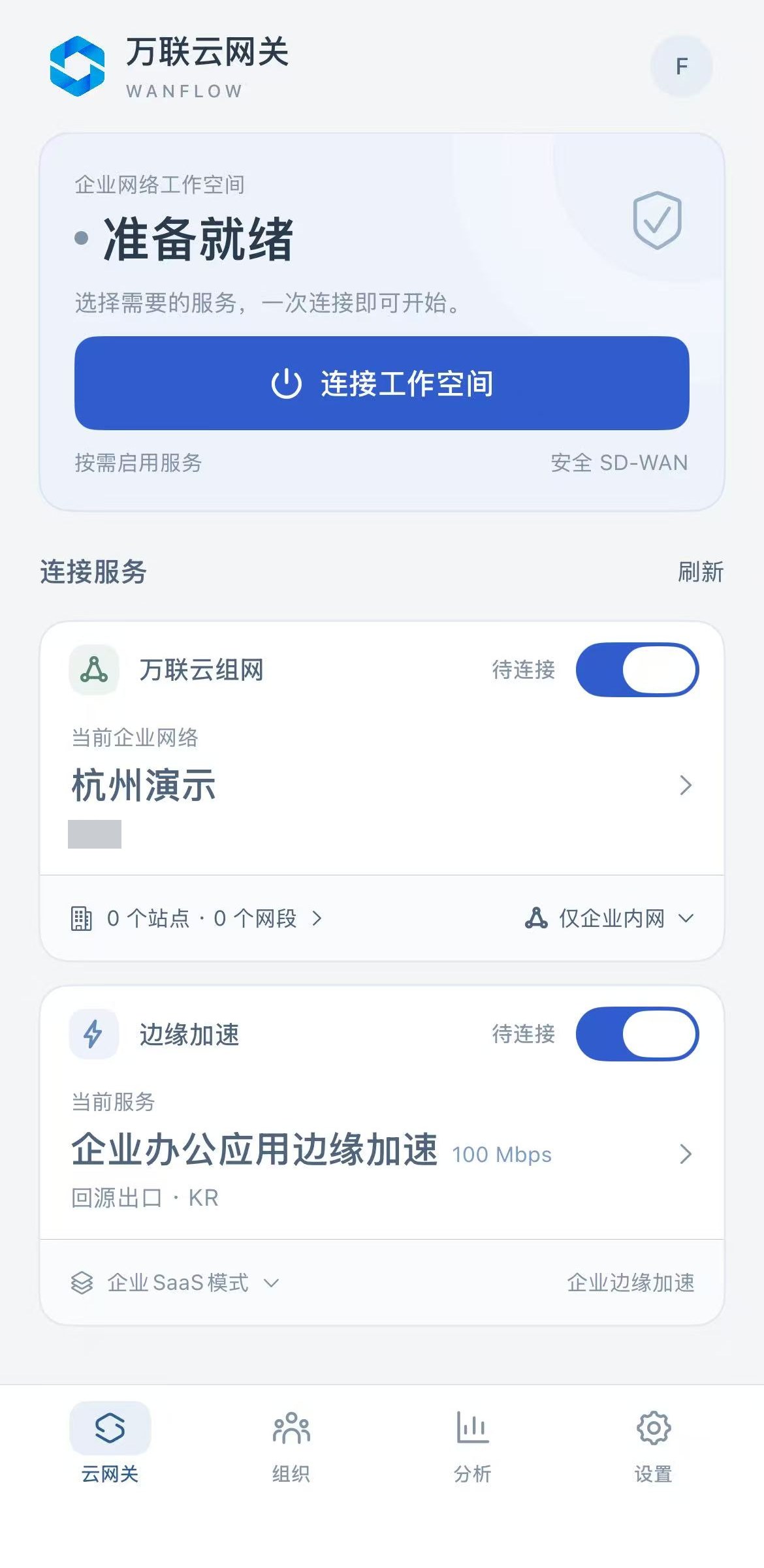
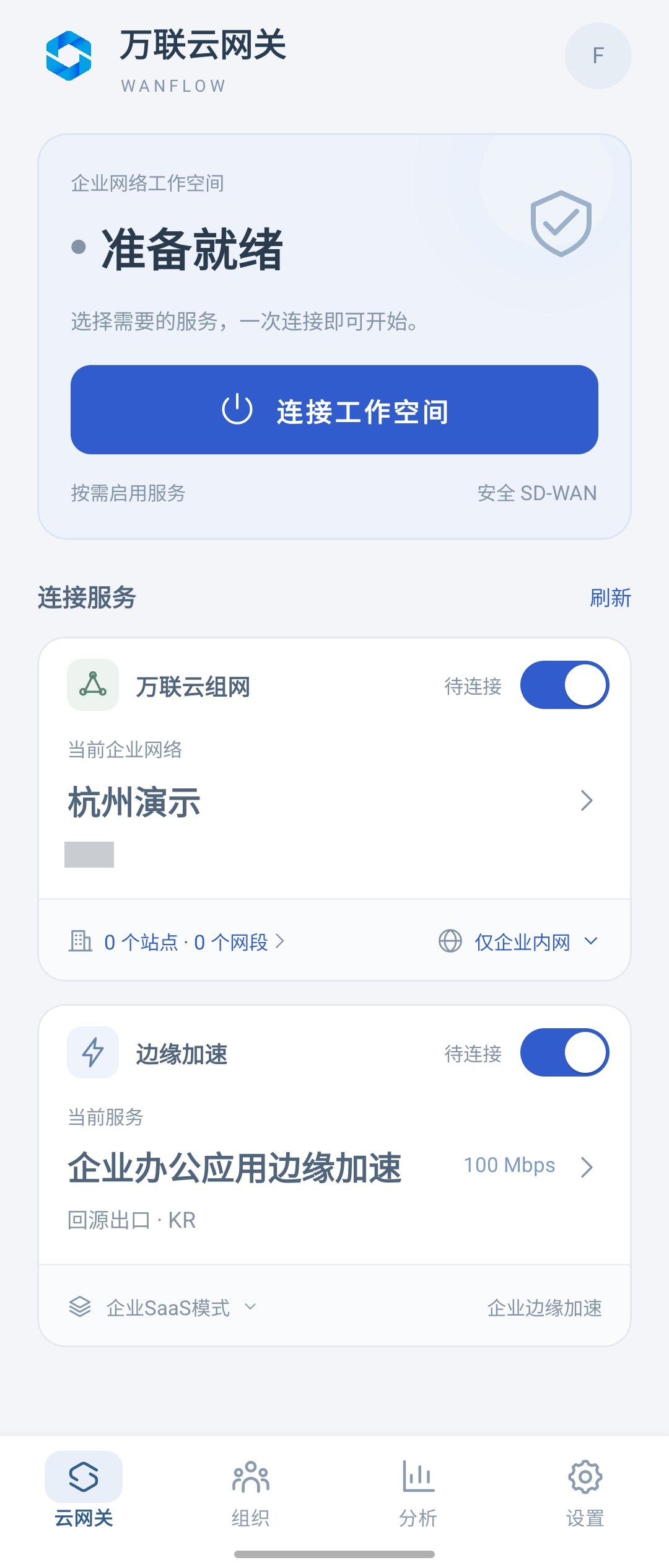
Instructions for the Windows client are coming soon.
Through a Wanflow Cloud Gateway
All devices on site access the internet through the Wanflow Cloud Gateway, so you don’t need to install the client on each one. You can choose the W1000A desktop gateway or the W2000 enterprise 1U gateway.
After the gateway is linked to your organization and AEA is activated, you can view the acceleration scope, cloud configuration sync and usage statistics in the gateway admin console. See Wanflow Cloud Gateway · Application Edge Acceleration.
If you haven’t set up the gateway yet, start with Wanflow Cloud Gateway.