Manage acceleration services
After activation, sign in to the Wanflow Console, click 边缘加速 (Edge Acceleration) under 服务 (Services) in the left navigation, then click the service you want to manage to open the 服务信息 (Service information) page.
The top of the page shows the service number, status (for example 试用中 (In trial)), plan name and service dates. Below, the service is managed in tabs:
| Tab | Purpose |
|---|---|
| 概览 (Overview) | Service bandwidth, expiration date, node status, traffic and connected devices |
| 源站应用 (Origin applications) | Set which applications are accessed through acceleration; can be configured separately by department |
| 源站集合 (Origin sets), 出口管理 (Exit management), 路由管理 (Route management), 访问日志 (Access logs) | More acceleration settings and access records |
View the service overview
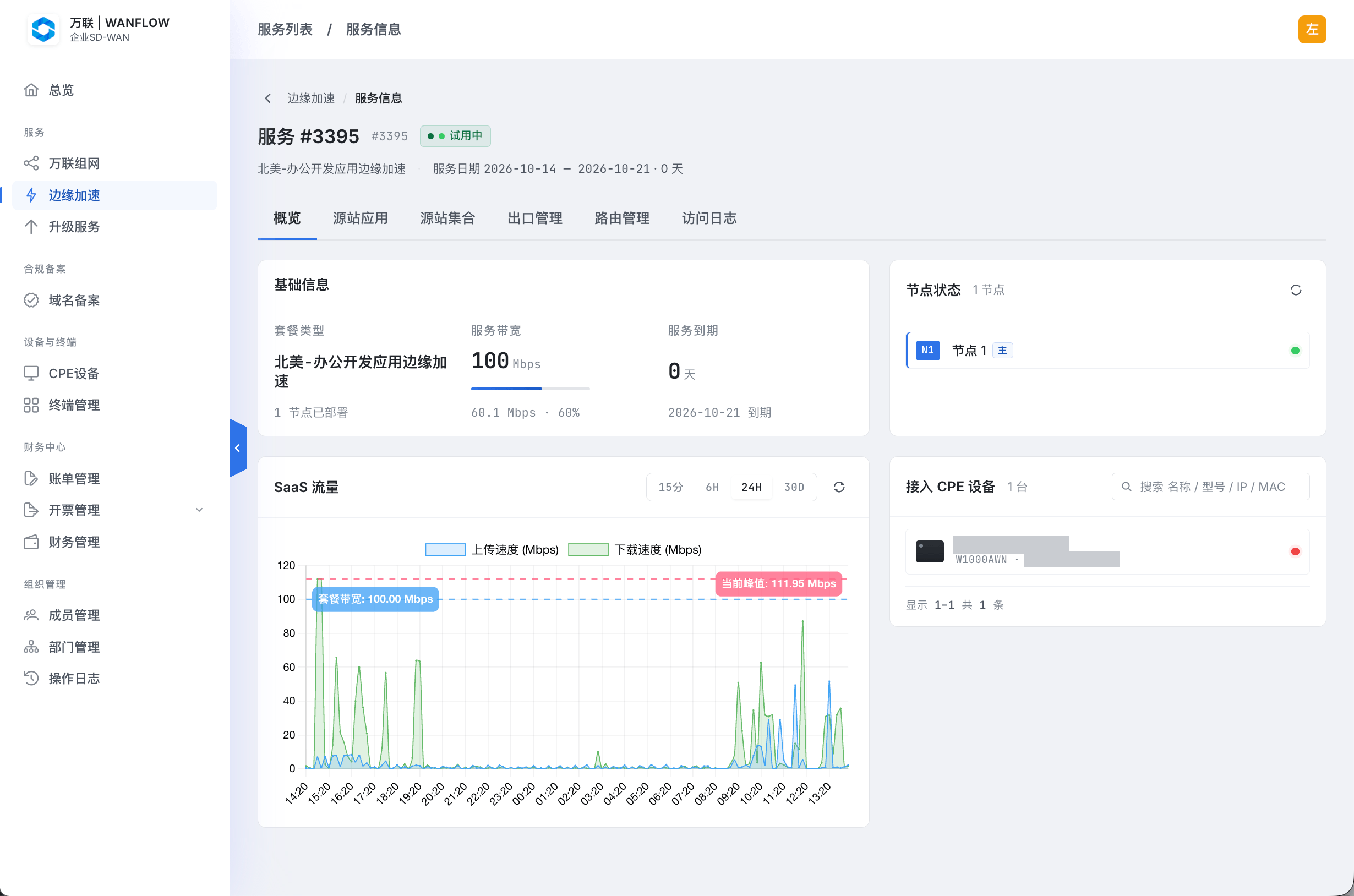
- 基础信息 (Basic information): plan type, service bandwidth and the current usage percentage, the number of deployed nodes, and the number of days until the service expires along with the expiration date.
- 节点状态 (Node status): acceleration nodes and their online status. 主 (Primary) marks the primary node.
- SaaS 流量 (SaaS traffic): upload and download speed curves, with the plan bandwidth and current peak marked on the chart. You can switch between time ranges of 15 minutes, 6 hours, 24 hours and 30 days.
- 接入 CPE 设备 (Connected CPE devices): the Wanflow Cloud Gateways using this service. You can search by name, model, IP or MAC.
If traffic often approaches the plan bandwidth, contact your account manager to adjust your plan.
Configure accelerated applications
Set which applications are accessed through acceleration on the 源站应用 tab.
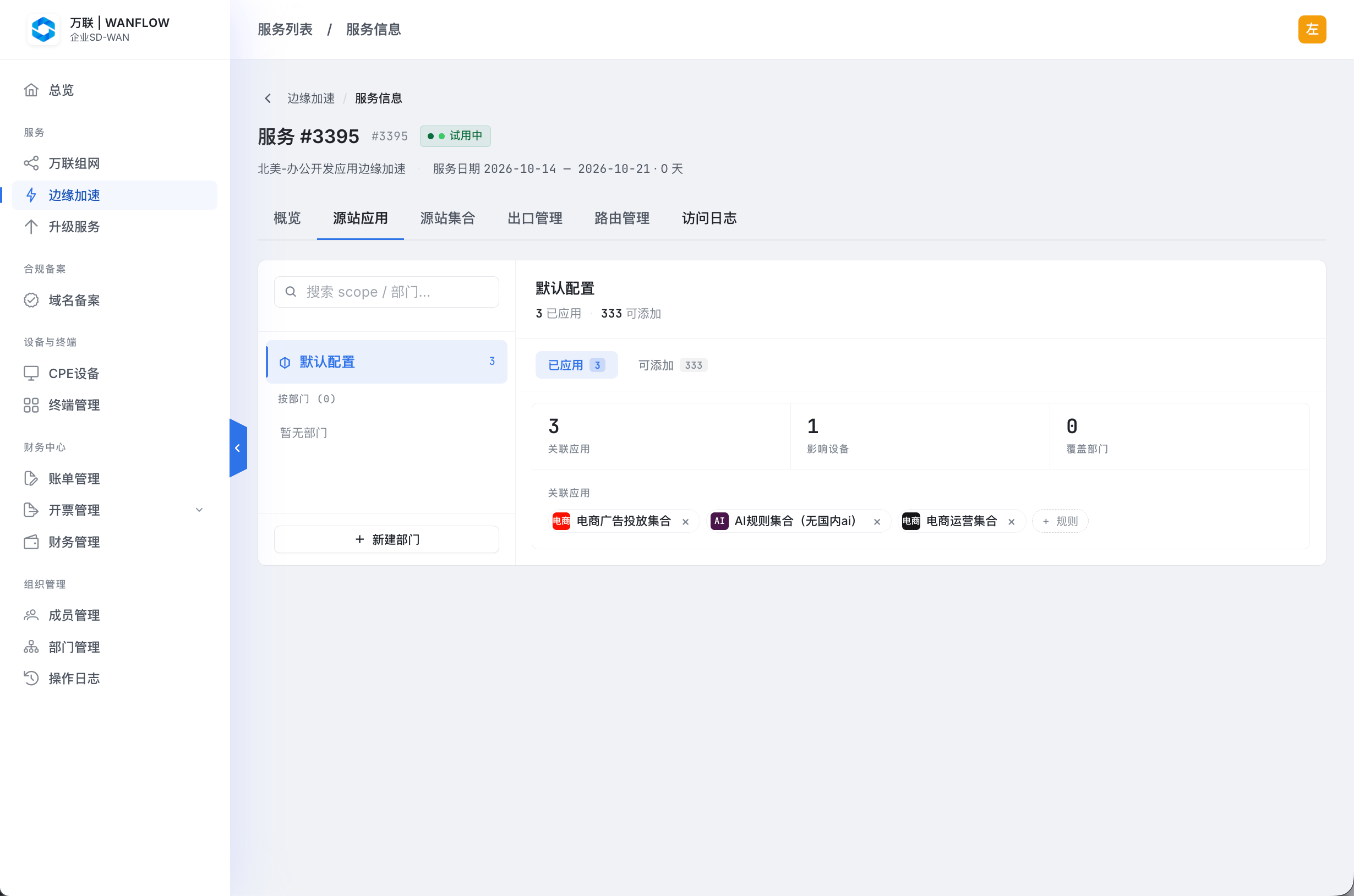
- On the left, choose the configuration scope:
- 默认配置 (Default configuration): all devices without a separate configuration use this configuration.
- 按部门 (By department): configure accelerated applications separately for a department. Click 新建部门 (New department) to add one.
- The right side shows statistics for the selected configuration: the number of associated applications, affected devices and covered departments.
- In 已应用 (Applied), view the set of applications currently being accelerated. Click × to the right of an application to remove it; click + 规则 (+ Rule), or switch to 可添加 (Available), to add applications from those available.
You can also view the acceleration traffic, usage ranking and acceleration scope of a single Wanflow Cloud Gateway in the gateway admin console. See Wanflow Cloud Gateway · Application Edge Acceleration.